
Facebook is one of the world’s largest social media platforms, helping people stay connected with friends, family, communities, and businesses. However, many users are surprised to find that their Facebook account has been disabled without warning. Losing access to your account can be frustrating, especially if it contains important memories, business pages, or personal contacts.
If your Facebook account has been disabled, don’t panic. In this guide, we’ll explain why Facebook disables accounts, how to appeal the decision, and the available methods that may help you recover your account.
What is a Facebook Disabled Account?
A disabled Facebook account is an account that Facebook has restricted from being accessed due to suspected violations of its Community Standards, Terms of Service, or security policies.
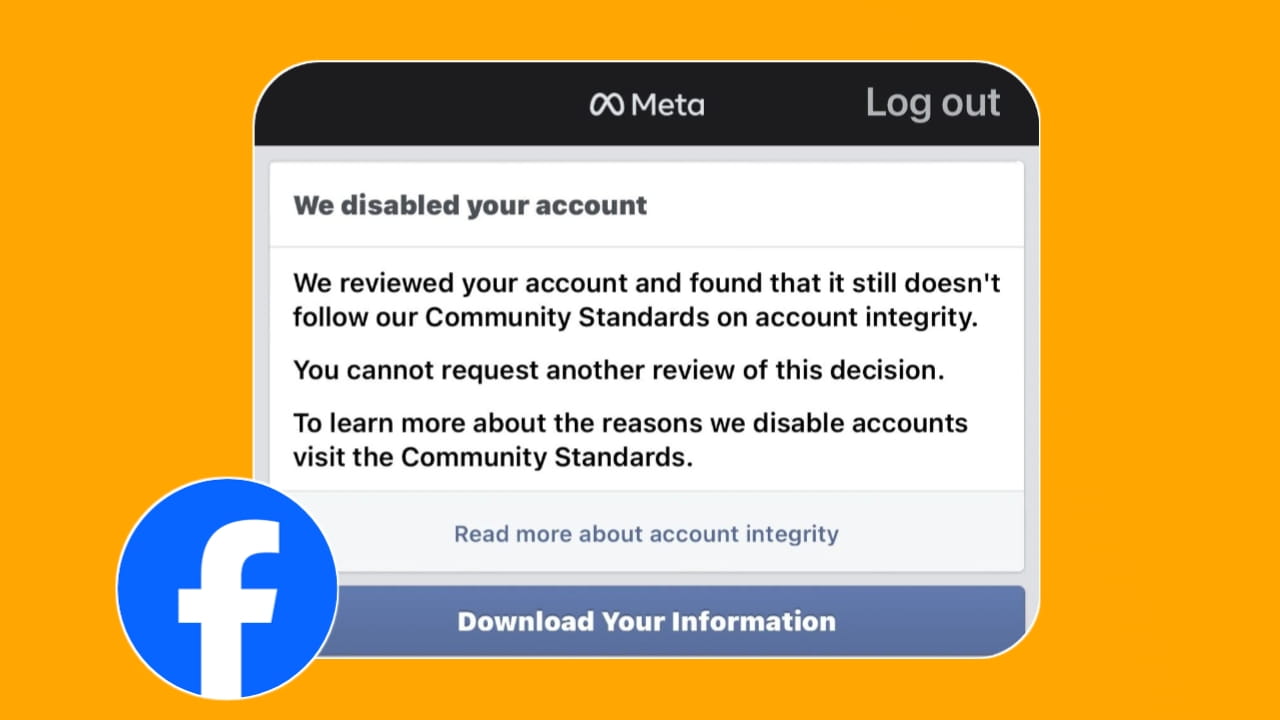
When an account is disabled, users may see messages such as:
“Your account has been disabled.”
“We reviewed your account and found that it still doesn’t follow our Community Standards.”
“You cannot use Facebook because your account has been disabled.”
Depending on the reason, the disablement may be temporary or permanent.
Why Did Facebook Disable My Account?
Facebook may disable an account for several reasons. Some common causes include:
1. Violation of Community Standards: Posting content that violates Facebook’s policies, such as spam, harassment, fake engagement, or prohibited content, may result in account restrictions.
2. Fake Identity or Incorrect Information: Facebook requires users to use authentic identities. Accounts using misleading names, impersonation, or false information may be disabled.
3. Suspicious Login Activity: Multiple login attempts from unusual locations, devices, or networks may trigger security actions.
4. Automated Activity: Using bots, automation tools, or software that violates Facebook’s policies can lead to account suspension.
5. Repeated Policy Violations: Users who repeatedly break Facebook’s rules may face temporary restrictions or permanent account disablement.
How to Recover a Disabled Facebook Account
The recovery method depends on why the account was disabled. Below are the most common options available in 2026.
1. Appeal to Facebook for Your Account Suspension
The first and most important step is submitting an appeal through Facebook’s official review process.
If Facebook believes your account violated its policies, you may receive an option to request a review. During the appeal process:
- Provide accurate information.
- Upload identification documents if requested.
- Explain your situation honestly and professionally.
- Avoid submitting multiple appeals repeatedly.
If Facebook determines that the disablement was incorrect, your account may be restored.
2. Contact the Meta Grievance Officer
In some regions, Meta provides grievance channels where users can raise concerns regarding account actions and platform decisions. You can contact Meta Grievance Officer India.
When contacting a grievance officer:
- Clearly describe the issue.
- Include your Facebook profile details.
- Provide relevant screenshots or reference information.
- Remain polite and professional.
This option may be useful when standard support channels have not resolved the issue.
3. Contact Through a Meta Verified Account
Some users report faster access to customer support through Meta Verified subscriptions. Meta Verified may provide access to additional support options that can help users discuss account-related issues directly with support representatives.
If you have access to a Meta Verified account:
- Open the support section.
- Explain that your Facebook account was disabled.
- Provide all requested information.
- Follow any verification steps suggested by support.
While Meta Verified does not guarantee account recovery, it may provide another channel to communicate with Meta support.
Tips Before Submitting an Appeal
To improve your chances of a successful review:
- Use your real name and accurate information.
- Submit only genuine documents when requested.
- Avoid creating multiple replacement accounts.
- Be patient during the review process.
- Follow Facebook’s Community Standards moving forward.
Also Read:
- How to Recover WhatsApp Deleted Messages and Chats (2026 Guide)
- How to See “This Message Was Deleted” in WhatsApp? Complete Guide (2026)
- How to Recover WhatsApp Deleted Photos and Videos (2026 Guide)
Can a Permanently Disabled Facebook Account Be Recovered?
Not all disabled accounts can be restored. If Facebook concludes that serious or repeated violations occurred, the account may remain permanently disabled.
However, if the action resulted from a mistake, identity verification issue, or security concern, there is a possibility that the account can be reinstated after review.
(FAQs)
1. How long does Facebook take to review a disabled account appeal?
Review times vary. Some appeals are reviewed within a few days, while others may take several weeks depending on the complexity of the case.
2. Can I recover a permanently disabled Facebook account?
Recovery depends on the reason for the disablement. If Facebook confirms serious policy violations, recovery may not be possible. However, mistaken disablements can sometimes be reversed after review.
3. Does submitting multiple appeals help?
No. Repeatedly submitting appeals usually does not speed up the review process and may create confusion. It is generally better to wait for Facebook’s response.
4. Can Meta Verified guarantee account recovery?
No. Meta Verified does not guarantee restoration of a disabled account. It may simply provide access to additional support options.
5. What documents may Facebook request during account recovery?
Facebook may request government-issued identification or other documents to verify your identity. Only submit authentic documents that match your account information.
Final Thoughts
A disabled Facebook account can be stressful, especially when it contains years of personal data, photos, messages, or business assets. Fortunately, many users successfully recover their accounts by following Facebook’s official appeal process and providing accurate information during verification.