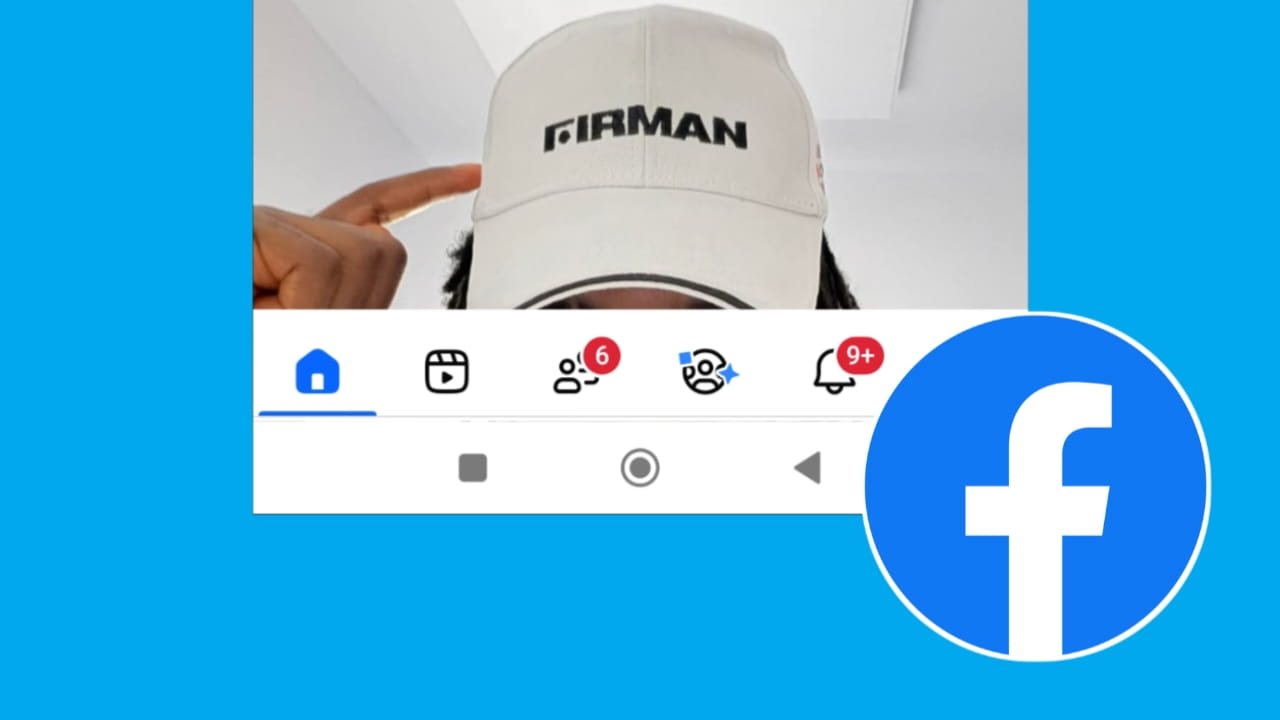
Many Facebook users recently noticed that their navigation bar suddenly moved to the bottom of the screen instead of staying at the top. Because of this change, many people think their Facebook app has a problem or bug.
If you are also facing the Facebook navigation bar down issue, don’t worry. In most cases, it is not a serious problem. In this article, we will explain why the Facebook navigation bar appears at the bottom and whether it can be moved back to the top again.
What is Facebook Navigation Bar?
The navigation bar is the section inside Facebook that contains important tabs like:
- Home
- Friends
- Notifications
- Videos
- Marketplace
- Menu/Profile
It helps users quickly switch between different sections of the app.
Earlier, many Facebook versions showed this navigation bar at the top of the screen. But after recent updates, many users are now seeing it at the bottom.
Why is Facebook Navigation Bar Showing Down?
There are several reasons why the navigation bar appears at the bottom.
1. Facebook New Update: The biggest reason is Facebook’s latest design update.
Meta regularly changes the app layout to improve user experience. In newer versions, Facebook automatically shifts the navigation bar to the bottom for easier one-hand usage, especially on large smartphones.
Install Facebook oldest version
This is not usually a bug.
2. Different UI Testing by Facebook
Facebook often tests different layouts on different accounts.
Some users may see:
Navigation bar at the top
Navigation bar at the bottom
Different icon placements
This happens because Facebook runs A/B testing to check which design users prefer more.
3. Device Size Optimization
Modern phones have larger screens, so placing the navigation bar at the bottom makes buttons easier to reach with your thumb.
That is why many apps now use bottom navigation designs.
4. Application Cache or Temporary Bug
In some cases, the app may incorrectly display the layout due to:
Corrupted cache
Incomplete updates
Temporary app glitches
How to Fix Facebook Navigation Bar Down Problem?
Currently, Facebook does not provide an official manual setting to permanently move the navigation bar back to the top for all users. However, you can try a few methods that may help.
1. Update the Facebook Application
Using an old app version can sometimes create UI problems.
Steps:
- Open Google Play Store or App Store
- Search for Facebook
- Tap Update
- Restart your phone
After updating, check whether the layout changes again.
2. Clear Facebook Cache
Temporary cache files can sometimes affect the app interface.
On Android:
1. Open Phone Settings
2. Go to Apps
3. Select Facebook
4. Open Storage
5. Tap Clear Cache
After clearing cache, reopen Facebook.
3. Logout and Login Again
Sometimes account syncing issues can affect app layouts.
Try This:
Logout from Facebook
Close the app completely
Restart your phone
Login again
4. Reinstall the Facebook App
If the layout issue started after an update, reinstalling may help.
Steps:
- Uninstall Facebook
- Restart your phone
- Install the latest version again
This refreshes app files completely.
5. Wait for Facebook Server-Side Changes
If Facebook intentionally moved the navigation bar to the bottom for your account, there may not be a direct way to change it manually.
In many cases:
- Facebook changes layouts automatically
- Future updates may restore the old design
- Different users receive different interfaces
- So sometimes the only solution is waiting for another update.
Can You Move Facebook Navigation Bar Back to the Top?
Currently, Facebook does not offer an official option like:
“Move Navigation Bar to Top”
Some older app versions may still show the top navigation design, but newer versions mainly focus on bottom navigation for mobile usability.
Because of this, users usually cannot permanently force the navigation bar back to the top unless Facebook changes the interface again in future updates.
Benefits of Bottom Navigation Bar
Even though many users dislike the new layout initially, there are some advantages.
Easier One-Hand Usage: Buttons become easier to reach on large smartphones.
Faster Navigation: Users can quickly switch tabs using their thumb.
Modern Mobile Design: Many modern apps now use bottom navigation layouts.
Better Accessibility: It reduces finger stretching while using phones with tall screens.
Final Words
The Facebook navigation bar down issue is usually not a bug. Most of the time, it happens because of new app updates, UI testing, or Facebook’s latest design changes.
You can try updating the app, clearing cache, reinstalling Facebook, or waiting for future updates. However, currently Facebook does not provide a permanent setting to manually move the navigation bar back to the top for every user.
As Facebook continues updating its app design, the layout may change again in future versions.