
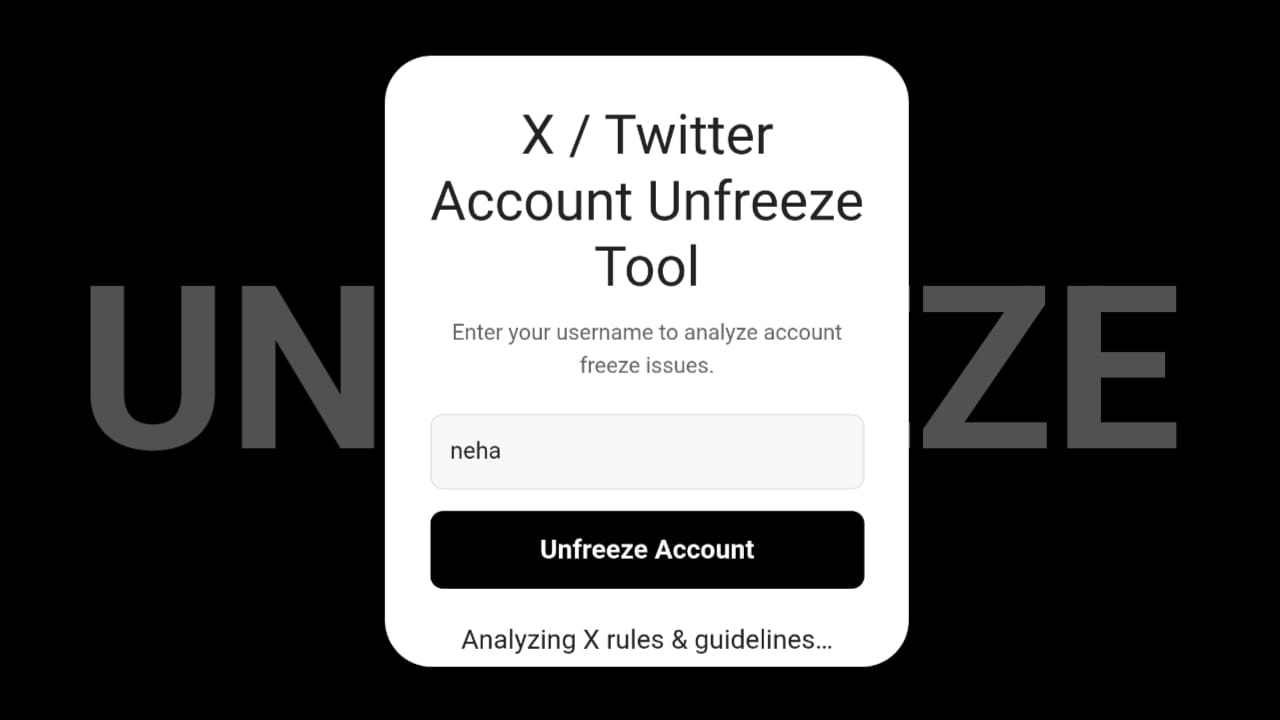
An X (Twitter) Account Unfreeze Tool is an online diagnostic tool that helps users understand why their account activity, reach, or engagement suddenly drops. Many users notice situations where their posts stop getting impressions, replies disappear, or followers stop growing. This situation is often described as an “account freeze” or “visibility restriction.”
X / Twitter Account Unfreeze Tool
Enter your username to analyze account freeze issues.
The X Account Unfreeze tool analyzes common activity signals and provides possible reasons why an account may be experiencing limited reach or reduced engagement. It then suggests practical steps users can follow to recover their account performance.
This tool does not access your X account or remove restrictions directly. Instead, it works as an analysis and guidance tool, helping users identify behaviors that may have triggered platform limits.
How X (Twitter) Account Unfreeze Tool Works
The X Account Unfreeze tool works by evaluating typical platform signals that may affect account reach or activity.
When users run the tool, it analyzes behavior indicators such as:
- Posting frequency and tweet activity
- Following and unfollowing patterns
- Reply and mention behavior
- Link-sharing activity
- Account login patterns
- Use of automation or third-party tools
After reviewing these factors, the tool generates a possible freeze analysis report.
Unfreeze Other Social Account:
- Snapchat Account Unfreeze Tool
- Facebook Account Unfreeze Tool
- Instagram Account Unfreeze Tool | Report Text copy
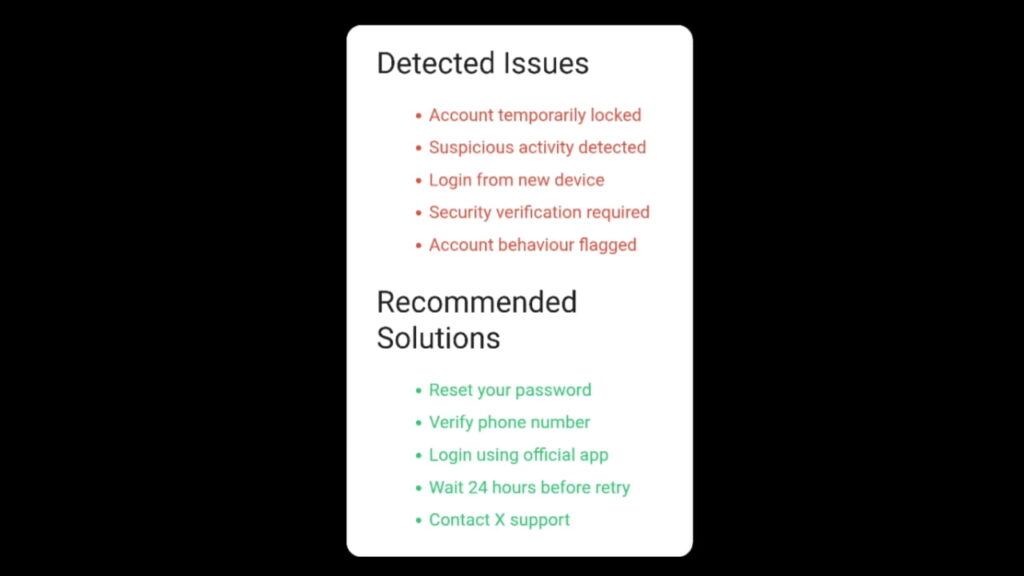
For example, the tool may suggest that your account reach could be affected by:
- Excessive follow or unfollow actions
- Posting identical tweets repeatedly
- Replying to many accounts within a short time
- Sharing too many external links
- Using automated bots or growth tools
Based on this analysis, the tool provides recommended actions that may help restore normal engagement and account activity.
Why X (Twitter) Freezes Some Accounts
X uses automated moderation and spam-prevention systems to maintain platform integrity. If the system detects behavior that looks suspicious or automated, it may temporarily limit account visibility or actions.
Some common reasons include:
1. Aggressive Follow/Unfollow Activity
Following or unfollowing large numbers of accounts quickly can trigger spam detection.
2. Repetitive Tweets or Duplicate Content
Posting the same message repeatedly may reduce reach.
3. Excessive Mentions or Replies
Tagging many users in tweets or replying rapidly to multiple accounts can appear spam-like.
4. Sharing Too Many Links
Accounts that frequently post promotional or external links may experience reduced visibility.
5. Automation and Bots
Using third-party automation tools can trigger restrictions or visibility limitations.
These restrictions are often temporary and may be lifted once normal activity patterns resume.
How X (Twitter) Account Unfreeze Tool Helps Users
The X Account Unfreeze tool provides users with helpful insights when their account performance suddenly drops.
Here’s how the tool helps:
Identifies Possible Causes
Instead of guessing, users get an analysis of potential reasons behind engagement loss.
Offers Recovery Suggestions
The tool provides practical steps that may help restore normal reach and activity.
Promotes Safe Platform Behavior
It educates users about behaviors that may trigger restrictions.
Improves Long-Term Account Growth
By following the suggested guidelines, users can avoid future limitations.
Overall, the tool helps users understand platform signals and adjust their behavior accordingly.
How to Grow X (Twitter) Account After Unfreeze
Once your account engagement begins returning to normal, it’s important to follow organic growth strategies to maintain visibility.
1. Post Valuable Tweets
Share informative, entertaining, or insightful content that encourages replies and retweets.
2. Maintain Consistent Activity
Tweet regularly but avoid posting excessively within a short time.
3. Engage With Other Accounts
Reply to tweets, participate in discussions, and interact naturally with your audience.
4. Avoid Automation Tools
Manual and authentic activity helps maintain a healthy account reputation.
5. Use Relevant Hashtags
Strategic hashtags can increase tweet discoverability.
6. Focus on Community Interaction
Building genuine conversations often leads to better engagement and follower growth.
These practices help rebuild audience trust and improve long-term account performance.
Frequently Asked Questions (FAQs)
1. Can X (Twitter) freeze an account?
Yes, accounts may experience temporary restrictions or reduced visibility if unusual activity is detected.
2. Does the X Account Unfreeze Tool unlock accounts?
No. The tool only analyzes possible reasons for engagement drops and provides recommendations.
3. How long do X account restrictions last?
In many cases, temporary limitations may last from a few hours to several days, depending on the triggering activity.
4. Can using bots affect an X account?
Yes. Automated bots and third-party growth tools can trigger platform spam detection systems.
5. How can I avoid X account restrictions?
Maintain natural activity patterns, avoid automation tools, post quality content, and follow platform policies.