
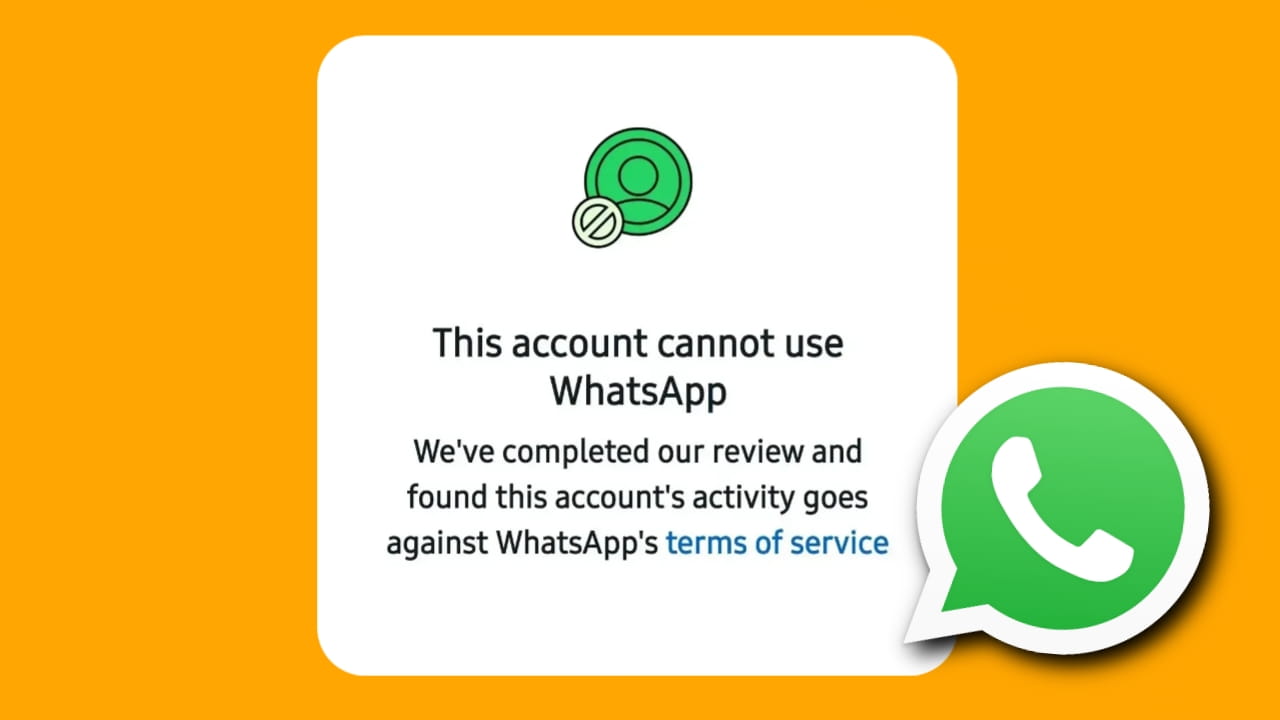
WhatsApp is one of the most popular messaging applications in the world. However, many users occasionally face account bans due to policy violations, suspicious activity, or the use of unauthorized applications. If your WhatsApp account has been banned, don’t worry. In this guide, we’ll explain why WhatsApp bans accounts and the steps you can take to restore access.
Why Does WhatsApp Ban Accounts?
WhatsApp may ban an account for several reasons, including:
- Using unofficial WhatsApp apps such as GB WhatsApp, WhatsApp Plus, or modified versions.
- Sending bulk messages, spam, or automated messages.
- Receiving multiple reports from other users.
- Violating WhatsApp’s Terms of Service.
- Using unauthorized third-party tools with WhatsApp.
- Suspicious account activity detected by WhatsApp’s security systems.
Depending on the severity of the violation, WhatsApp may issue either a temporary ban or a permanent ban.
How to Fix a WhatsApp Account Ban?
1. Appeal the Ban
If you believe your account was banned by mistake, you can submit an appeal directly through the WhatsApp application.
Steps:
- Open WhatsApp.
- Tap on Request a Review if the option is available.
- Enter a brief explanation of why you think the ban should be reconsidered.
- Submit your request and wait for WhatsApp’s response.
WhatsApp typically reviews appeals within a few hours to a few days.
2. Update Your WhatsApp Application
Using an outdated version of WhatsApp can sometimes cause account-related issues.
Steps:
- Open the Google Play Store or Apple App Store.
- Search for WhatsApp.
- Check if an update is available.
- Install the latest version and try logging in again.
If you’re using a modified version of WhatsApp, uninstall it immediately and install the official WhatsApp application.
3. Contact WhatsApp Through the Support Page
If the appeal process doesn’t work, you can contact WhatsApp support directly.
Steps:
- Visit the official WhatsApp Support page.
- Select your device type.
- Enter your phone number and email address.
- Describe your issue in detail.
- Submit the support request.
Be polite and provide accurate information to improve the chances of receiving assistance.
How to Avoid WhatsApp Ban Issues
To prevent future bans, follow these best practices:
- Use only the official WhatsApp application.
- Avoid sending spam or repetitive messages.
- Do not use message automation tools.
- Respect WhatsApp’s Terms of Service.
- Avoid adding unknown users to groups without permission.
- Keep your WhatsApp application updated.
- Enable two-step verification for additional security.
Following these guidelines can significantly reduce the risk of your account being banned.
Frequently Asked Questions (FAQs)
1. Can a permanently banned WhatsApp account be recovered?
In some cases, yes. If the ban was issued by mistake, submitting an appeal may restore access. However, serious violations may result in a permanent ban.
2. How long does WhatsApp take to review an appeal?
Most reviews are completed within a few hours to several days, depending on the complexity of the case.
3. Will deleting and reinstalling WhatsApp remove the ban?
No. Reinstalling WhatsApp does not remove a ban. You must wait for a temporary ban to expire or successfully appeal the decision.
4. Can GB WhatsApp or WhatsApp Plus cause a ban?
Yes. Using unofficial or modified WhatsApp applications is one of the most common reasons for account bans.
5. How can I avoid getting banned again?
Use the official WhatsApp app, avoid spam activities, follow WhatsApp’s policies, and keep your application updated.
Conclusion
A WhatsApp account ban can be frustrating, but many bans can be resolved through the official appeal process. Make sure you’re using the official WhatsApp application, follow WhatsApp’s guidelines, and avoid suspicious activities. By taking the right steps, you can improve your chances of recovering your account and preventing future bans.
1 thought on “WhatsApp Account Banned Solution | How to Fix WhatsApp Account Ban”